Why send SMS from your PC
Sending SMS messages from your PC has become an essential communication tool for businesses and professionals alike. It provides the convenience of managing large volumes of messages, integrating with business workflows, and automating campaigns—all from your desktop or laptop. Whether you want to send alerts, reminders, marketing campaigns, or OTP messages, PC-based SMS offers flexibility and scalability you can't get from a traditional mobile phone.
Benefits of sending SMS from your computer
- Efficiency: Manage and send many messages at once.
- Integration: Seamlessly tie with CRM, e-commerce, or automation platforms like Make.com or Zapier.
- Scheduling: Plan campaigns or reminders in advance, including birthday wishes and important date alerts.
- Personalization: Use templates and data merging to make every SMS relevant.
- Tracking: Monitor delivery and engagement to measure campaign ROI.
Methods to send SMS via PC
1. Web-based SMS platforms
Platforms like Smstools' SMS software provide an intuitive web interface that works in any browser. Users can import contacts, compose messages, schedule or automate sending, and view reports—all online, no software installation required.
2. Bulk SMS services
Bulk SMS is perfect for reaching many recipients quickly, such as clients, employees, or community members. You can launch campaigns, notifications, and alerts in seconds. Learn more about Bulk SMS solutions with Smstools.
3. SMS API for developers
If you require automation or custom integrations, Smstools offers a robust SMS API with code samples and documentation for PHP, Python, Powershell, and more. Connect SMS to your own business software, ERP, or workflow.
4. Email to SMS
Send SMS by simply composing an email. When you send an email to a specific address, it is automatically delivered as an SMS to the recipient. Perfect for notification workflows or users who prefer working from their email client. See how Email to SMS works.
5. Integrations with automation platforms
Automate SMS sending via Make.com or Zapier without any coding. Trigger SMS for order updates, appointments, alerts, or birthdays within your business logic flows.
Popular use cases
- SMS marketing campaigns to promote new products, events, or offers.
- Reminding customers of appointments.
- OTP (one-time password) SMS for authentication or secure logins.
- Automated birthday wishes with Birthday SMS marketing.
- Status alerts for orders, logistics, or downtime notifications.
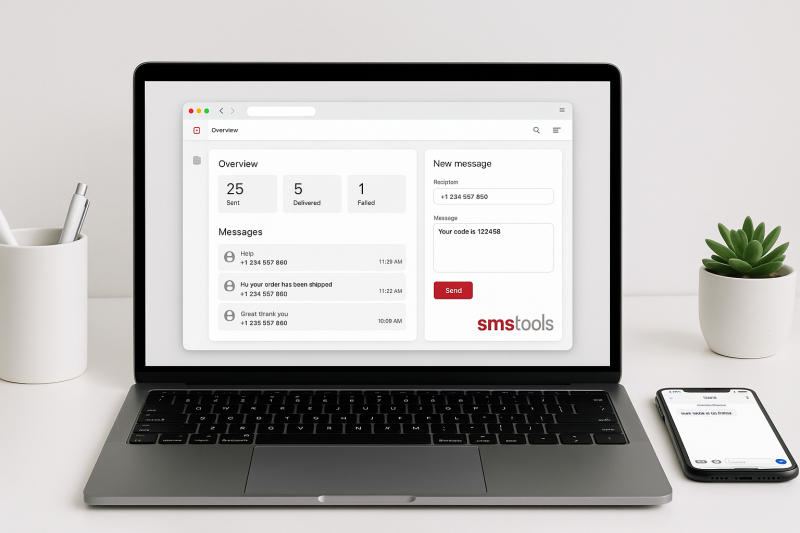
Step-by-step: how to send SMS from your PC with Smstools
- Start your free account: Register for a free trial and explore the dashboard. REGISTER →
- Import contacts: Upload a list from Excel or manually add numbers.
- Compose your message: Use templates, merge fields, or type your text.
- Send instantly or schedule: Decide whether to send now or pick a future date/time.
- Track delivery: Check reports to see sent, delivered, or failed messages.
Advanced PC SMS features
- Virtual SMS numbers allow businesses to receive replies and conversations via desktop.
- Sim hosting for international coverage and local sender IDs.
- Run SMS marketing and WhatsApp campaigns from one place.
- Use the whitelabel platform to resell or expand your own SMS services.
Tips for effective desktop SMS
- Personalize your messages for better engagement.
- Keep messages concise and clear.
- Comply with privacy regulations when sending to large lists.
- Leverage automation to save time on recurring tasks.
Try sending SMS from your PC with Smstools
Ready to experience the power of desktop SMS? Register now and see how easy professional SMS can be.
FAQ: SMS sending via PC
- Do I need any software installed? No, Smstools runs entirely in the browser.
- Can I automate SMS sending? Yes, via API or integration platforms like Make.com and Zapier.
- Is PC-based SMS secure? Yes, all communications are encrypted in transit and protected with authentication.
- What does it cost? Transparent pricing; pay per message or volume. Try first with a free trial.
- Can I receive replies on my PC? Yes, with virtual SMS numbers and the Smstools inbox.